The PSoXide emulator runs original PlayStation software: commercial discs, homebrew disc images and bare PS-X EXE files. It's written in Rust and has two frontends built from the same core, a desktop app and a browser build. Instead of Sony's BIOS it uses its own high-level emulation (HLE) of the kernel services programs call, so there's no firmware file to find, and none can be loaded. The Legal & licensing page explains where that kernel's behaviour comes from.
If you're writing PS1 software, the emulator is also the place you'll debug it. The desktop app has a debugger sidebar, a performance panel that works on unmodified programs, save states and input recording, and a headless mode that runs a disc from the command line and prints hashes of what it drew. A debugging server lets an MCP client drive a running session.
PS1 homebrew, running in your browser. This player runs the compiled PS1 executable in the PSoXide emulator.
Focus the game to use the keyboard. Arrows: D-pad. F / G / H / X: Cross / Circle / Square / Triangle. Enter: Start. Sound starts muted; use the speaker button in the game. No touch controls.
Open player separately · Download EXE · Matching source · Builds and credits
Run it in the browser
The browser player on itch.io is the browser build of the same frontend. It needs no installation and no BIOS file, and it carries the public PSoXide Demo Disc: start the player, then pick the disc in the emulator's menu.
The browser build can also open a .bin disc image or a PS-X .exe from your machine, which is how you'd try your own program. The file is read locally in the browser and isn't uploaded anywhere. Chrome and Edge can remember a games folder between visits; Firefox and Safari ask for the file each time. Current builds of both frontends also list the SDK's sample programs (hello-tri, hello-input, hello-gte and others, plus the sample games) under Homebrew in the Library. This page describes the current source; the itch.io player is deployed separately and can lag behind it.
Build the desktop app
There are no desktop binary releases. The GitHub release is a source snapshot, so build it from the emulator repository:
git clone https://github.com/EBonura/PSoXide-emulator.git
cd PSoXide-emulator
make bootstrap
make build
./target/release/frontend --windowed
You need Rust through rustup (the checked-in toolchain file picks the version), Python 3 and your host's C/C++ build tools. On Ubuntu, install pkg-config libasound2-dev libudev-dev libxkbcommon-dev first. make bootstrap fetches the exact SDK revision the emulator is pinned to. Without --windowed the app starts borderless and full screen.
Open Library and choose Choose games folder to point it at your discs. The debug sidebar has a Build SDK examples button that runs make examples and refreshes the library. For a first program of your own, follow Build and run your first PS1 program.
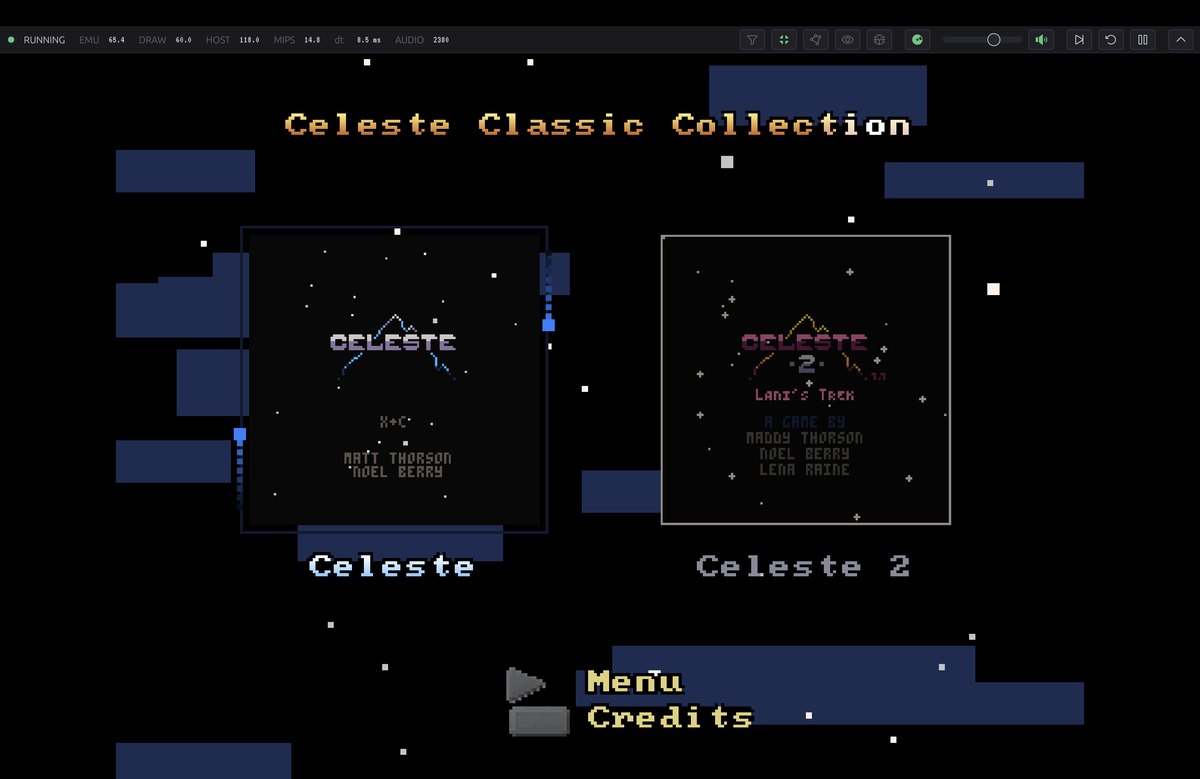
The desktop app running the Celeste Classic Collection menu.
Debug a program
Press F3 or the bug icon in the toolbar to open the debug sidebar. It's hidden by default. Set PSOXIDE_DEBUG_SIDEBAR=1 to start with it open and every section expanded.
The Developer section has Step one instruction and Advance one frame, both of which pause first. It also has a wireframe toggle that draws polygon edges only, and a free camera for 3D programs (tap L3+R3), which applies a camera offset to the GTE's view transform while the program keeps running. The program still culls and streams against its own camera, so moving far away shows holes.
CPU Registers shows the general-purpose registers, PC, HI and LO, the COP0 registers the core uses (SR, Cause, EPC, BadVAddr), the retired instruction count and, while the section is open, the last 16 retired instructions. Memory is a viewer with three modes: hex and ASCII, a colour map of all 2 MB of main RAM, and a disassembly. Quick-jump buttons go to RAM, the scratchpad, the hardware registers, the ROM region and the current PC. Set BP toggles a breakpoint at the viewer's address. Breakpoints are on the program counter: the run loop pauses before executing an instruction at a breakpoint address. VRAM shows the whole 1024×512 video memory.
See where the time goes
The sidebar's Guest performance (PS1) panel reports on the emulated console: how often the program presents a new frame, the cycle budget per vertical blank, where the CPU's cycles went (instruction issue, RAM loads, stack loads, stores, instruction fetch, waiting on the GTE or the multiply unit, hardware access), what limited each frame, CD, SPU, DMA, MDEC and interrupt activity, SPU voices and texture pages in use. It reads counters the emulator keeps, so it works on any program, including ones with no instrumentation. It holds two minutes of history at 60 Hz and exports it as CSV.
For numbers in a terminal, start the desktop app with PSOXIDE_PROFILE=1. It prints a one-line rolling average to stderr about once a second; PSOXIDE_PROFILE=trace prints every frame. Host timings are in milliseconds, and fields such as emu_hz, draw_hz, cyc_f, instr_f and gte_f describe the emulated workload.
Save states and input recordings
F5 saves a state and F7 loads it again (the pinned save, or else the most recent) and keeps running. The save-states panel in the toolbar lists each save with a thumbnail and can load it paused. Save states use a PSoXide-specific format; they don't load in other emulators.
F8 starts and stops a recording of controller port 1. On desktop the recording is written as a tape file under the game's config directory, and replaying it from Load input replay plays the same inputs back. Recording or replaying on desktop also writes a whole-run profile CSV next to the tape. The same tapes drive headless runs, so a bug report can become a repeatable test.
Run headlessly
The desktop binary has subcommands that run without a window. launch boots a disc image or EXE, runs for a set number of instructions and prints the final state:
./target/release/frontend launch --path path/to/hello-tri.cue --steps 8000000 --dump-hash
--dump-hash adds FNV-1a hashes of VRAM and of the displayed image, so two runs, or two builds, can be compared exactly. The summary also reports how many times the program polled the controller, and warns about two things that can work in the emulator and fail on a console: CD sectors dropped because the program serviced the drive too slowly, and GP0 command bursts that would overflow the real GPU's command FIFO.
Useful options for homebrew:
| Option | What it does |
|---|---|
--input-tape PATH | Replays a recorded tape. --stop-at-poll N ends the run after N controller polls, so builds of different speed stop in the same program state |
--press SPEC | Presses buttons at scheduled points, for example to get past a menu |
--route-log PATH | Writes one CSV row per route tick with CPU cycles, display position and flips, and controller polls. --route-watch-u32 ADDR adds a RAM word to each row without changing timing |
--visual-hash-log PATH | Hashes the displayed image at each rendered frame, for diffing performance experiments |
--pc-sample-log PATH | Samples the program counter from outside the program, so an unmodified binary can be profiled |
--cpu-cycle-profile-log PATH | Splits CPU cycles into issue, RAM, I/O, instruction cache, GTE and multiply/divide stalls per route tick |
--stack-profile-log PATH | Records stack high-water marks without touching guest RAM |
--dump-vram, --dump-ram, --dump-audio | Writes the final VRAM (PPM), main RAM, or the SPU's mixed output (WAV) |
--memcard PATH | Uses a 128 KiB .mcd file as the port 1 memory card and writes changes back |
--savestate PATH | Restores a save state after mounting the game |
validate runs exact-hash checkpoints from a manifest and can write new baselines with --bless. preburn-check checks an authored CUE/BIN before you burn it: the volume ID, required files, a CD audio track, and strings that shouldn't be in the EXE. On macOS the desktop app can also burn a disc image to CD-R through the system's drutil. Burned discs need a modchipped console or another compatible homebrew boot method. PSoXide does not endorse modchipping or provide installation help; modifications can permanently damage or brick hardware and are at your own risk. Read the hardware warning.
The SDK uses launch directly: make run-tri FRONTEND=... builds hello-tri and runs it headlessly.
Drive it from an MCP client
The desktop app can host a Model Context Protocol server, so an agent or script can inspect and control a running session. It's behind the optional mcp build feature:
make bootstrap
cargo build --locked --release -p frontend --features mcp
./target/release/frontend --windowed
The server listens on http://127.0.0.1:7355/mcp over streamable HTTP; set PSOXIDE_MCP_PORT to use another port. If the port can't be bound the app runs without it. Its tools take a PNG screenshot of the display, dump VRAM as a PNG, read and write main RAM, read a 32-bit word, pause, resume, step a number of frames (even while paused), toggle wireframe, load a disc or EXE by path, reset, and report status (run state, PC, cycles and the loaded game). Calls run on the emulator's own thread between frames, so they see a consistent state.
Browser and desktop compared
| Desktop | Browser | |
|---|---|---|
| Games | Library folder of disc images and EXEs | A .bin or .exe you pick; the demo disc and SDK samples |
| Debug sidebar, performance panel | Yes | Yes |
| Save states | Files, with a list of saves and thumbnails | Quick-saves kept in the browser's storage for that site |
| Input recording (F8) | Tape file | Reboots the game, records from boot and downloads a CSV |
Headless launch, validate, preburn-check | Yes | No |
| MCP server | With the mcp feature | No |
| CD-R burning | macOS | No |
| Controllers | Gamepads through the OS | Gamepads through the browser |
Browsers keep audio off until you click or press a key on the page. Clearing the site's data in your browser removes its quick-saves.
Compatibility and accuracy
The development methodology describes the console test loop: record hardware measurements, compare them with the emulator, correct the model and keep a repeatable test.
The comparison page has the measured headless memory use, how far each tested commercial game gets, and what's been checked against original hardware. For how the SDK and emulator are checked against a real console, see Checking code against PlayStation hardware.
The emulator catches a lot, but original hardware has the last word. When the two disagree, the console is right. Some behaviour, such as what happens when an interrupt lands on a GTE command in a branch delay slot, isn't modelled.